How AI Agent Workflow Automation Is Changing Software Development Forever
Discover how AI agent workflow automation is transforming software development with faster coding, testing, and deployment.
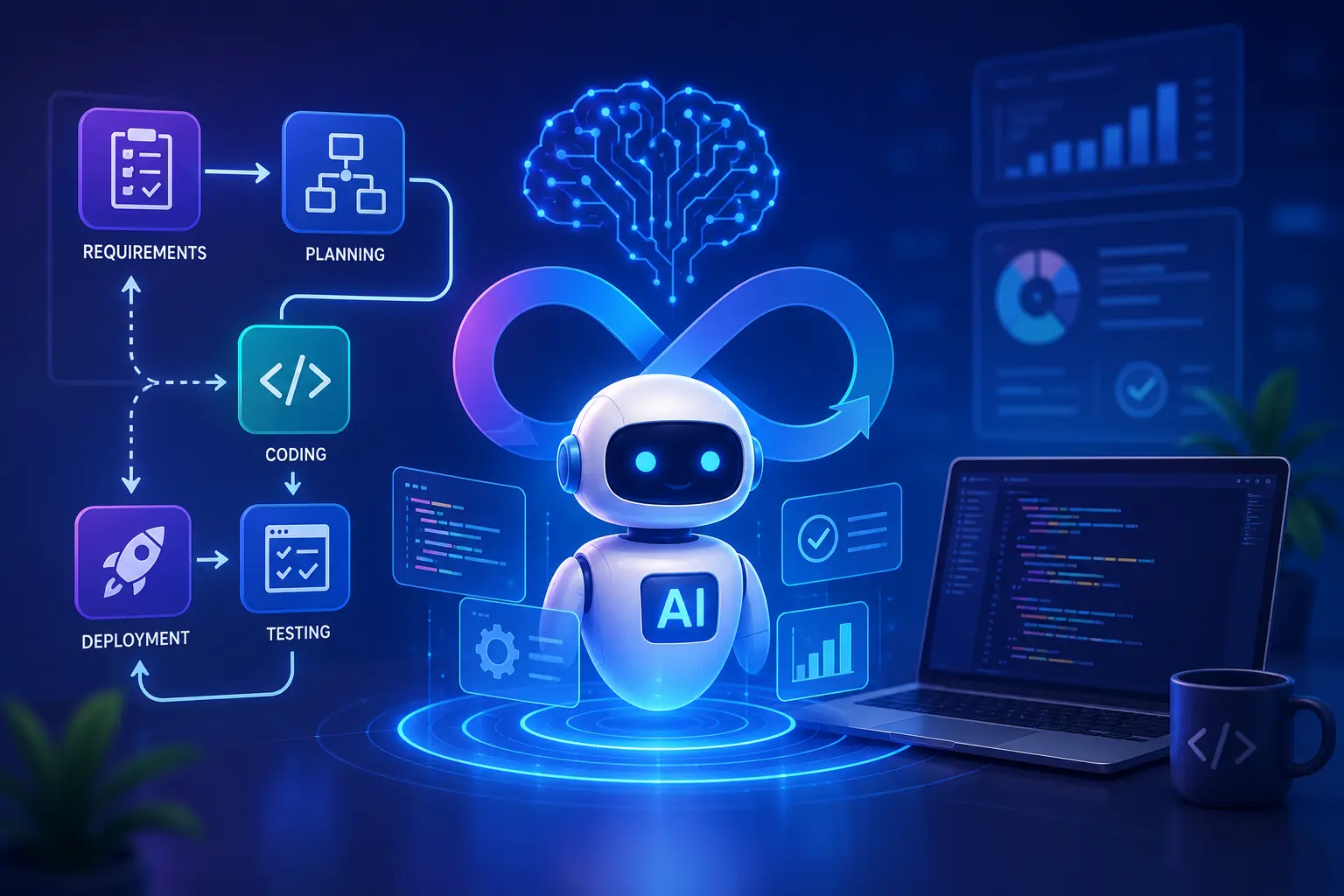
Picture this: your development team is spending 40% of their sprint on tasks that have nothing to do with building features. Code reviews are backlogged. Deployments take half a day. Bug triage is manual, inconsistent, and slow. Now imagine a different setup, one where an AI agent reviews pull requests before a human ever opens them, another agent writes and runs unit tests automatically, and a third one monitors your production environment and files tickets when something breaks. Your developers show up to actual problems, not paperwork. That is not a future scenario. It is what AI agent workflow automation is delivering to software teams right now.
For Learn About: 5 Red Flags When Hiring AI Specialist, Click Here!
In this guide, you will learn:
- What AI agents actually are and how they differ from basic automation
- Which workflows inside software development benefit most from agents
- The top frameworks and tools used by professional teams in 2025
- Real examples with practical takeaways you can apply immediately
- How to hire or build the right AI automation for your project
Are you spending hours on repetitive development tasks that slow down your shipping cycle?
I build custom AI agent workflows that automate the boring parts of software development so your team can focus on what actually matters.
What Is an AI Agent, and Why Does It Matter for Developers?
Most developers have used some form of automation, such as shell scripts, CI/CD pipelines, and cron jobs. These are rule-based systems. They do exactly what you tell them, nothing more. An AI agent is fundamentally different. It can reason about a goal, break it into steps, use tools, make decisions mid-task, and adapt when something unexpected happens. Think of it as the difference between a thermostat (rule-based) and a smart building system that learns your preferences, checks the weather forecast, and adjusts temperature proactively.
For Learn About: 5 Steps to Create a Website With AI in 1 Day, Click Here!
The Core Components of an AI Agent
Every functioning AI agent has four building blocks:
- A Large Language Model (LLM) as the reasoning engine: GPT-4o, Claude 3.5, Gemini 1.5, or open-source alternatives like Llama 3.
- Tools and APIs it can call: search engines, code executors, file systems, databases, and external services.
- Memory: short-term context within a session, and optionally long-term memory via vector databases.
- An orchestration layer: the logic that decides when to call which tool, how to handle errors, and how to chain multiple steps.
Single Agents vs. Multi-Agent Systems
For simple tasks, such as summarising a document, generating a report, or answering a support ticket, a single agent is usually enough. Software development workflows are rarely simple. A multi-agent system assigns specialised roles: one agent writes code, another reviews it, a third runs tests, and a fourth deploys if everything passes. These agents collaborate, pass outputs between each other, and catch errors that a solo agent might miss. Microsoft’s AutoGen framework and CrewAI were built specifically for this multi-agent collaboration model, and they are increasingly popular in professional development environments.
The Software Development Workflows Where AI Agents Deliver the Most Value
Not every task needs an AI agent. But there are specific areas inside the software development lifecycle (SDLC) where autonomous AI workflows create measurable time and cost savings.
TABLE 1: AI Agent Use Cases in the SDLC
| Development Phase | Task Automated by AI | Time Saved (Est.) |
|---|---|---|
| Planning | Requirements extraction,user story generation | 30–50% |
| Coding | Code generation, refactoring, and boilerplate writing | 40–60% |
| Code Review | Style checks, bug detection, PR summaries | 50–70% |
| Testing | Unit test generation,regression test runs | 35–55% |
| Deployment | CI/CD monitoring, rollback triggers, log analysis | 40–60% |
| Documentation | Auto-generated docs, changelogs, API docs | 60–80% |
| Deployment | Issue classification,severity routing | 30–50% |
Automated Code Review with AI Agents
Code review bottlenecks are one of the most common complaints in growing engineering teams. Senior developers spend hours each week reviewing pull requests that do not require their level of expertise.
An AI agent integrated into your GitHub or GitLab workflow can review every PR automatically — checking for coding standards, potential security issues, test coverage gaps, and documentation completeness. It can post structured comments and flag high-risk changes for mandatory human review.
The result: senior developers spend their review time on architecture and business logic, not formatting.
AI-Driven CI/CD Pipeline Management
Modern CI/CD pipelines generate enormous amounts of data — build logs, test results, deployment metrics, performance benchmarks. Most of that data goes unread unless something breaks loudly. AI agents can monitor your pipeline in real time, detect anomalous patterns before failures occur, and even auto-remediate common issues (restarting failed services, rolling back broken deploys, clearing stuck queues). Some teams using AI-assisted pipeline management report a 45% reduction in mean time to recovery (MTTR) for production incidents.
Intelligent Test Generation and Execution
Writing comprehensive test suites is time-consuming and frankly, most developers do not enjoy it. AI agents trained on your codebase can generate unit tests, integration tests, and edge-case scenarios automatically whenever new code is committed. This is not about replacing human QA engineers. It is about ensuring that the foundation of your test coverage is always maintained without manual effort.
Top AI Agent Frameworks for Software Development Automation
Choosing the right framework depends on your team’s technical level, the complexity of your workflows, and how much control you need over agent behaviour.
Each spoke shows: Best for / Skill Level / Cost
LangChain — The Flexible Powerhouse
LangChain is the most widely adopted open-source framework for building LLM applications and agents. It gives developers granular control over every part of the agent pipeline — tool use, memory, prompt engineering, and chain logic. Best for: Teams with Python experience who need highly customised agents.
Drawback: Steeper learning curve; can be verbose for simple tasks.
AutoGen by Microsoft — Multi-Agent Conversations
AutoGen takes a different approach. You define multiple agents with specific roles and let them converse with each other to solve problems. This mirrors how human teams collaborate — a planner, a coder, a critic, a tester — each specialised, all working together.
Best for: Complex software tasks requiring different specialisations.
Drawback: Debugging multi-agent conversations is non-trivial.
CrewAI — Role-Based Agent Teams
CrewAI has gained rapid adoption for its intuitive “crew” metaphor. You assign agents roles, goals, and tools, then define a process (sequential or parallel). It is arguably the most readable framework for describing complex workflows.
Best for: Teams who want structured, readable agent configurations.
Drawback: Less mature ecosystem than LangChain.
n8n with AI Nodes — Low-Code Automation
n8n is a self-hostable workflow automation tool that has added powerful AI nodes, allowing teams to build LLM-powered workflows without writing agent code from scratch. It sits in the middle ground between full custom agents and no-code tools like Zapier.
Best for: Full-stack teams who want flexibility without pure Python development.
Framework Comparison at a Glance
| Framework | Type | Best Use Case | Skill Lvl | Cost |
|---|---|---|---|---|
| LangChain | Open-source | Custom agents | Advanced | Free (LLM costs) |
| AutoGen | Open-source | Multi-agent | Advanced | Free (LLM costs) |
| CrewAI | Open-source | Role-based teams | Mid-Adv | Free (LLM costs) |
| n8n | Open-source | SaaS | Low-code AI flow | Mid | Self-host/SaaS |
| Zapier AI | SaaS | Non-dev teams | Beginner | From $20/mo |
| Make.com | SaaS | Visual workflows | Beginner | From $9/mo |
A Real-World Example — Automating a Feature Development Cycle
Here is a concrete, practical example of how a multi-agent system can handle a full feature request from ticket to deployment.
FLOWCHART DESCRIPTION:
Step 1: Product Manager files a Jira ticket (natural language description)
↓
Step 2: Requirements Agent reads the ticket, extracts acceptance criteria, generates user stories, posts back to Jira
↓
Step 3: Coding Agent pulls the latest branch, writes the feature code based on the spec, follows team’s coding standards
↓
Step 4: Test Agent generates unit and integration tests for the new code, runs them in a sandbox environment (if tests pass)
↓
Step 5: Review Agent checks code quality, security, and documentation, posts structured review to GitHub PR (if review passes)
↓
Step 6: Deploy Agent triggers staging deployment, monitors for errors, and reports back to Slack
Human Developer: Reviews the full run summary, merges PR, approves production. The developer’s role shifts from doing to overseeing. Every repetitive step is handled by a specialised agent. Humans stay in the loop for decisions that require judgment, context, and accountability. This is not theoretical. Teams using similar pipelines built on LangChain or AutoGen are reporting 30–50% reductions in feature development cycle time.
Want a custom AI agent workflow built for your development team?
I design and build multi-agent automation systems using LangChain, AutoGen, CrewAI, and n8n — tailored to your team’s stack and processes.
AI Agents vs Traditional RPA — Knowing the Difference
A common confusion is treating AI agents and Robotic Process Automation (RPA) as the same thing. They are not. RPA tools like UiPath and Automation Anywhere record and replay UI interactions. They are brittle change a button’s position and the whole workflow breaks. They have no reasoning capability. They follow a fixed script. AI agents are flexible. They understand intent, not just instructions. If a webpage changes its layout, an AI agent can reason about the new structure and adapt. If an API returns an unexpected error, the agent can decide whether to retry, fall back to a different approach, or flag the issue for human review.
This matters enormously for software development, where environments, APIs, and codebases change constantly. RPA breaks. AI agents adapt. That said, RPA still has a place for highly stable, purely UI-based tasks in legacy systems. The practical answer for most modern software teams is a hybrid: use AI agents where reasoning is needed, RPA where processes are completely static and the cost of AI is not justified.
Challenges and Honest Limitations of AI Agent Automation
AI agents are powerful, but they are not magic. Any developer or team considering this investment should understand the real challenges.
Reliability and Hallucination
LLMs can confidently produce wrong outputs. In a chat assistant, a hallucination is mildly annoying. In an autonomous agent managing your deployment pipeline, it can be a serious incident. Mitigations include human-in-the-loop checkpoints for high-stakes actions, output validation layers, and using models with strong tool-use reliability (Claude 3.5 Sonnet and GPT-4o are generally rated higher.
Cost Management
Agentic workflows can rack up LLM token costs quickly, especially with multi-agent conversations and long context windows. Before scaling, prototype on cheaper models and implement token budgets. Many teams use GPT-4o-mini or Claude Haiku for routine agent steps and reserve the larger models for complex reasoning tasks.
Security and Access Control
Giving an AI agent write access to your codebase, deployment pipelines, or databases introduces a real security risk. Best practices include the principle of least privilege (each agent only has access to what it needs), audit logs for every agent action, and sandboxed execution environments for code agents.
Observability
When something goes wrong in a multi-step agentic workflow, debugging can be complex. Invest in proper logging and tracing from day one. Tools like LangSmith (for LangChain), Langfuse, and Weights & Biases provide observability dashboards built for LLM applications.
How to Get Started — A Practical Roadmap
If you are new to AI agent development, here is a grounded, step-by-step
starting point:
Step 1: Identify your highest-friction workflow.
Do not try to automate everything at once. Find the one task your team finds most tedious and repetitive. That is your pilot.
Step 2: Choose a framework that matches your team’s skill level.
If you have Python developers, start with LangChain or CrewAI. If you need something faster to prototype, n8n or Make.com AI can get you to a demo in days, not weeks. .
Step 3: Build with a human-in-the-loop first.
Have the agent produce outputs for human review before acting on them. This builds trust and catches errors before they have real consequences.
Step 4: Measure and iterate.
Define what success looks like before you build — hours saved per week, number of manual steps eliminated, reduction in errors. Measure it. Agents that do not deliver measurable value should be redesigned, not defended.
Step 5: Scale gradually.
Once your pilot delivers clear value, expand systematically. One workflow at a time. Each new agent should have clear ownership, a defined scope, and a rollback plan.
Frequently Asked Questions
What is AI agent workflow automation in software development?
AI agent workflow automation uses intelligent software agents — powered by large language models — to handle tasks in the software development process autonomously. These agents can write code, run tests, review pull requests, manage deployments, and communicate across tools like GitHub, Jira, and Slack without constant human input. Unlike rule-based automation, AI agents can reason, adapt to new situations, and make decisions within defined boundaries.
Which AI agent framework is best for automating development workflows?
The best framework depends on your needs. LangChain offers the most flexibility for custom Python-based agents and has the largest community. AutoGen by Microsoft excels at multi-agent collaboration. CrewAI is the most readable option for defining role-based teams. For teams with limited coding resources, n8n with AI nodes provides a low-code alternative. Most professional teams start with LangChain or CrewAI for software development automation.
How much does it cost to build AI agent automation for a software team?
Costs vary widely. The LLM API costs (OpenAI, Anthropic, Google) typically run between $50 and $500 per month for a small team, depending on workflow volume and model choice. Framework costs are generally zero (open-source). Development and integration work is the main investment — a basic single-agent workflow can be built in a few days, while a full multi-agent SDLC automation system may take several weeks. Hiring a specialist freelancer for the initial build is often more cost-effective than training an in-house team from scratch.
Are AI agents in software development safe and reliable?
They can be, with the right architecture. The key safeguards are: clear scope limitation (agents only act within defined boundaries), human-in-the-loop checkpoints for irreversible actions, output validation before execution, comprehensive audit logging, and sandboxed environments for code execution. No production AI agent should have unrestricted access to your systems. Reliability has improved significantly with models like GPT-4o and Claude 3.5, but agentic workflows still require careful design and monitoring.
How long does it take to see ROI from AI agent automation in development?
For well-scoped pilot projects, most teams see measurable time savings within the first month. Common early wins include automated code review summaries (saving 2–4 hours per developer per week) and test generation (cutting manual test writing time by 30–50%). Larger multi-agent SDLC systems typically show clear ROI within the first quarter, with returns compounding as the system handles more workflows over time.
CONCLUSION
AI agent workflow automation is not a trend to watch from the sidelines. It is an active competitive advantage for software teams willing to invest in it thoughtfully. The developers and teams who understand how to design, deploy, and manage agentic workflows are already shipping faster, catching more bugs earlier, and spending their cognitive energy on the problems that genuinely require human intelligence. The gap between teams using these tools and those that are not is widening quickly.
The starting point is simpler than most people think: identify one repetitive workflow, pick a framework, build a small pilot with human oversight, and measure the result. Then scale what works. You do not need to figure this out alone.
For Learn About: AI Tools for Reducing Costs in Restaurants, Click Here!
Ready to automate your software development workflow with AI agents?
Whether you need a quick automation prototype or a fully architected multi-agent system, I can help you build it the right way with clean code, proper security, and practical value from day one. I specialise in LangChain, AutoGen, CrewAI, n8n, and custom LLM integrations for software teams of all sizes. Let’s talk about your project:
How to Build AI Agents Without Coding: The Complete 2026 Guide for Beginners and Business Owners
Learn how to build AI agents without coding using the best no-code platforms in 2026. Step-by-step guide for beginners, freelancers & business owners.
Read Full GuideKey Takeaways & Common Questions
What is AI agent workflow automation in software development? ▼
AI agent workflow automation uses intelligent software agents — powered by large language models — to handle tasks in the software development process autonomously. These agents can write code, run tests, review pull requests, manage deployments, and communicate across tools like GitHub, Jira, and Slack without constant human input. Unlike rule-based automation, AI agents can reason, adapt to new situations, and make decisions within defined boundaries.
Which AI agent framework is best for automating development workflows? ▼
The best framework depends on your needs. LangChain offers the most flexibility for custom Python-based agents and has the largest community. AutoGen by Microsoft excels at multi-agent collaboration. CrewAI is the most readable option for defining role-based teams. For teams with limited coding resources, n8n with AI nodes provides a low-code alternative. Most professional teams start with LangChain or CrewAI for software development automation. <br>
How much does it cost to build AI agent automation for a software team? ▼
Costs vary widely. The LLM API costs (OpenAI, Anthropic, Google) typically run between $50 and $500 per month for a small team, depending on workflow volume and model choice. Framework costs are generally zero (open-source). Development and integration work is the main investment — a basic single-agent workflow can be built in a few days, while a full multi-agent SDLC automation system may take several weeks. Hiring a specialist freelancer for the initial build is often more cost-effective than training an in-house team from scratch.
Are AI agents in software development safe and reliable?▼
They can be, with the right architecture. The key safeguards are: clear scope limitation (agents only act within defined boundaries), human-in-the-loop checkpoints for irreversible actions, output validation before execution, comprehensive audit logging, and sandboxed environments for code execution. No production AI agent should have unrestricted access to your systems. Reliability has improved significantly with models like GPT-4o and Claude 3.5, but agentic workflows still require careful design and monitoring.
How long does it take to see ROI from AI agent automation in development? ▼
For well-scoped pilot projects, most teams see measurable time savings within the first month. Common early wins include automated code review summaries (saving 2–4 hours per developer per week) and test generation (cutting manual test writing time by 30–50%). Larger multi-agent SDLC systems typically show clear ROI within the first quarter, with returns compounding as the system handles more workflows over time.
Discuss your AI project with our team
Reach out to our independent research team for scoping reviews, vendor evaluations, or feedback.
Continue Reading
Handpicked research and implementation guides to deepen your understanding.

How to Build AI Agents Without Coding: The Complete 2026 Guide for Beginners and Business Owners
Learn how to build AI agents without coding using the best no-code platforms in 2026. Step-by-step guide for beginners, freelancers & business owners.

Integrate AI Into Human Workflows | 2026 Guide
Stop replacing, start empowering. Learn how to integrate AI into human workflows to boost efficiency by 40% and keep your team engaged. Practical steps inside.
AI Agents for Small Businesses: The 2026 Playbook to Automate, Scale, and Win
Discover how AI agents for small businesses automate tasks, cut costs, and fuel growth. Real use cases, top tools, and expert setup tips inside.