
How to Plan an AI System in 7 Days: A Practical Roadmap That Actually Works
Planning AI system in a week is realistic if you follow the right order. This guide walks you through a practical, expert-tested 7-day AI planning roadmap.
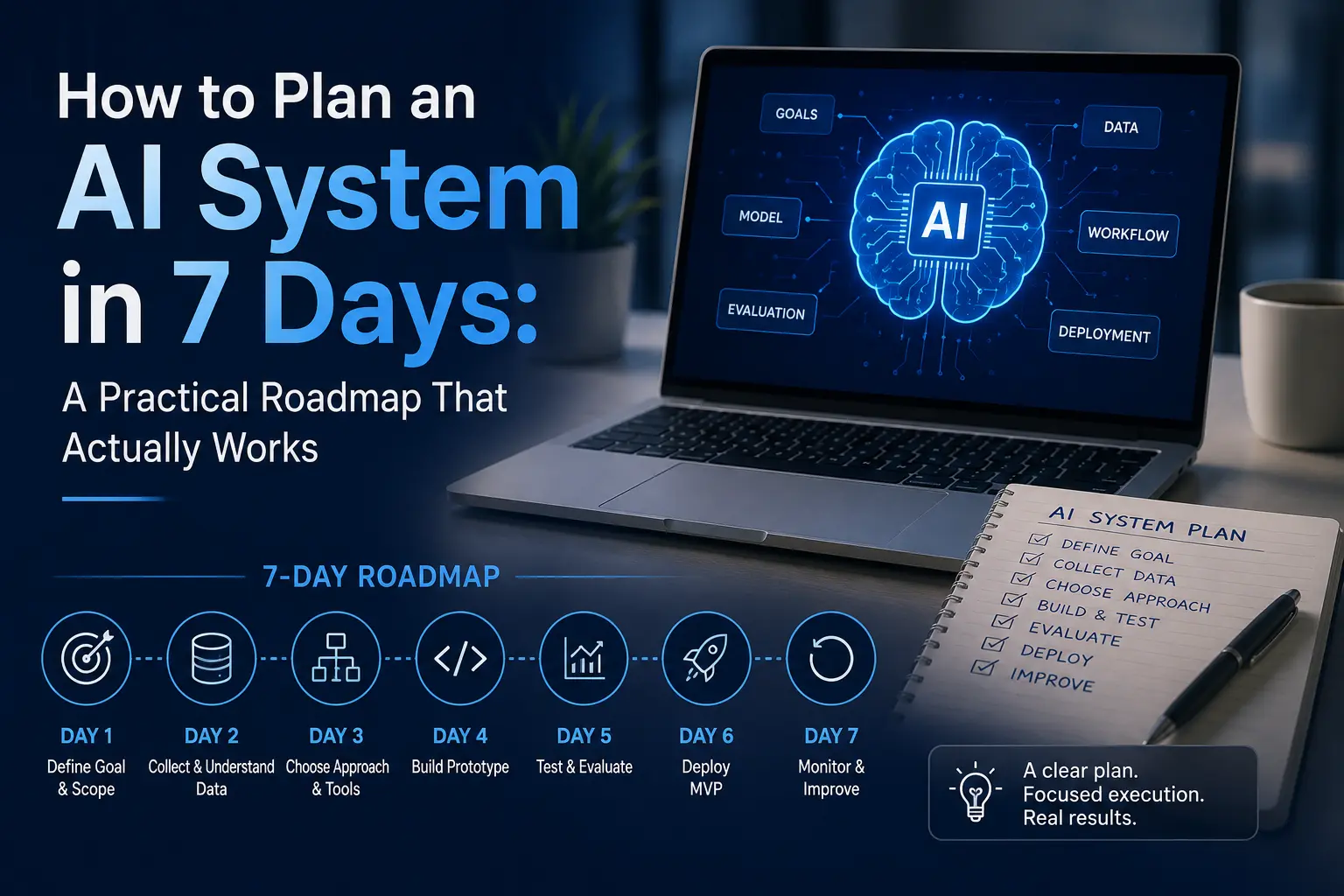
Most AI projects don’t fail because the technology doesn’t work. They fail because nobody planned them properly before the first line of code was written. If you’ve watched a promising AI idea stall in endless meetings, or you’re staring at a blank page trying to figure out where to even start, you’re not alone, and you don’t need three months of consultants to fix it.
I’ve scoped AI projects for startups building their first customer-facing chatbot and for operations teams trying to automate a document-heavy workflow, and the pattern is always the same: the teams that succeed spend a focused week planning before they spend a single dollar building. The ones that skip that week almost always redo the work later, at triple the cost.
Learn About: What Jobs Will AI Replace by 2030?
This guide gives you that week. It’s a day-by-day framework for seven working days, one clear deliverable per day for planning an AI system from a rough idea to a document you could hand to a developer, a stakeholder, or an AI consultant and say, “build this.” No fluff, no jargon you have to look up twice.
**The 7-Day AI System Planning Roadmap at a Glance**
| Day | Focus | What You Walk Away With |
| Day 1 | Define the problem & goal | One-sentence problem statement + success metric |
| Day 2 | Audit data & resources | Data readiness score + gap list |
| Day 3 | Choose the right approach | Build vs. buy vs. API decision |
| Day 4 | Map the architecture | One-page system diagram |
| Day 5 | Plan risk & governance | Risk register + oversight plan |
| Day 6 | Build roadmap & budget | Timeline, budget, team plan |
| Day 7 | Validate & get sign-off | Stakeholder-approved plan |
**Why Most AI Projects Fail Before They’re Ever Built**
Industry reporting on AI pilots from research groups like MIT, BCG, and Gartner keeps circling back to the same handful of root causes, and none of them are “the model wasn’t smart enough.” The pattern below is a composite view based on how these post-mortems consistently break down, not a single-source statistic:
Notice what’s missing from that list: bad AI models. Almost every failure traces back to a planning gap — the wrong problem was chosen, the scope kept growing, nobody decided whether to build or buy, or governance was bolted on after a pilot already reached production and compliance sent it back to square one. Planning isn’t the boring part before the real work starts. It is the real work.
Learn About: When Should I Use AI vs. When Should I Skip It?
**What “Planning an AI System” Actually Means**
Planning and building are different jobs, and mixing them up is the single most common reason teams stall. Building is writing code, fine-tuning a model, or configuring a vendor tool. Planning is the set of decisions that have to happen before any of that — decisions that are expensive to reverse once you’re mid-build.
A complete AI system plan answers six questions: what problem are we solving and how will we know it worked, what data do we actually have, what’s the simplest approach that could work, what does the system look like end to end, what could go wrong and who’s watching for it, and what will this cost in time and money. That’s it. A 15-page strategy deck that skips any of those six is not a plan — it’s a pitch document.
Take a mid-size retail company deciding between an AI customer-support chatbot and a product-recommendation engine. Both sound like “an AI system,” but they have almost nothing in common: different data requirements, different risk profiles, different success metrics. A proper planning week forces that clarity before either project gets a budget line.
**The 7-Day AI System Planning Roadmap**
Here’s the framework in full. Each day is designed to take a focused 3–5 hours, doable alongside your regular workload, or compressed into a single dedicated sprint week with a small team.
**Day 1 — Define the Problem and the Business Goal**
Start by writing a single sentence: “We are trying to [outcome] for [who], measured by [metric].” If you can’t fill that in without hedging, you’re not ready to plan the system yet — you’re still exploring an idea, and that’s a different (and shorter) exercise.
Talk to the people who will actually use or be affected by the system before you talk to anyone about technology. A support-ticket deflection project, for example, isn’t “we want an AI chatbot” — it’s “we want to resolve 30% of tier-1 tickets without a human, measured by resolution rate and customer satisfaction score.” That level of specificity is what turns a vague idea into a scoped AI project.
Learn About: When AI Is Overkill for Your Business
**Day 2 — Audit Your Data and Resources**
Data readiness is where most timelines quietly fall apart. Before assuming you can build anything, walk through what you actually have:
- Availability — does the data you need already exist somewhere, or does it need to be collected first?
- Quality — is it clean, consistent, and recent enough to be useful?
- Labeling — if this is a supervised task, who labels it and how long will that take?
- Access and privacy — do you have legal and technical permission to use this data for this purpose?
- Infrastructure — where does this data live, and can your team actually get to it?
**Day 3 — Choose the Right AI Approach (Build vs. Buy vs. API)**
This is the decision that determines your entire timeline and budget, and it should happen before anyone writes a technical spec. Three broad paths exist for almost every AI system today:
| Approach | Best For | Typical Time to Launch | Control Level |
| Off-the-shelf tool | Common, well-solved problems (basic chat support, transcription) | Days to weeks | Low |
| API / foundation model | Custom logic on top of proven models (GPT, Claude, Gemini APIs) | Weeks | Medium |
| Custom-built system | Unique, high-stakes, or highly regulated use cases | Months | High |
Most teams over-invest here; they assume “real AI” means custom-built, when an API layered on an existing model gets them 80% of the value in a fraction of the time. Save custom builds for problems where an off-the-shelf approach genuinely can’t meet your accuracy, privacy, or compliance requirements.
**Day 4 — Map the System Architecture**
You don’t need a 40-page technical document. You need one page that shows how data enters the system, where the model or logic sits, what it connects to, and where a human can step in if something goes wrong. Sketch it as a simple flow: input → processing/model layer → business logic → output → monitoring.
At this stage, also decide where the system needs to be fast versus where it can be slow. A real-time chat assistant has very different latency requirements than a nightly batch report — and that decision alone can change which approach from Day 3 still makes sense.
**Day 5 — Plan for Risk, Governance, and Compliance**
This is the step teams skip most often, and it’s the one that comes back to bite them hardest — usually right before launch, when legal or compliance asks a question nobody prepared for. Build a short risk register covering:
- Bias and fairness — could the system produce systematically unfair outcomes for any group?
- Data privacy — does this comply with relevant regulations (GDPR, local data protection law, industry-specific rules)?
- Human oversight — who reviews the system’s decisions, and how often?
- Fallback plan — what happens when the system is wrong or unavailable?
Even a lightweight AI governance and compliance checklist at this stage is far cheaper than a compliance review that stalls a finished project for months.
**Day 6 — Build the Roadmap, Budget, and Team Plan**
Now translate everything from Days 1–5 into a timeline. Break the build into phases — proof of concept, pilot, production rollout — with a rough date and owner for each. Attach a budget line to every phase: data preparation, model or API costs, engineering time, and ongoing monitoring (this last one is the cost teams forget, and AI systems need monitoring for as long as they run).
List the roles you actually need — this is rarely a huge team. A small AI system typically needs a project owner, someone who understands the data, someone who can implement the chosen approach, and a domain expert who can judge whether outputs are actually good. For a realistic sense of what each phase costs, see this AI project cost breakdown.
Learn About: AI Tools for Reducing Operational Costs in Restaurants
**Day 7 — Validate the Plan and Get Sign-Off**
Before this plan becomes a project, pressure-test it. Walk it through with someone who wasn’t in the room for Days 1–6 and ask them to poke holes in it. Define your go/no-go criteria in writing: what result from the proof of concept would tell you to proceed, and what would tell you to stop or rethink the approach.
Then present it. A good AI system plan, at the end of this week, is a document a stakeholder can read in ten minutes and either approve or send back with specific, answerable questions, not a vague pitch that reopens Day 1.
**Common Mistakes to Avoid When Planning an AI System**
- Treating AI as a magic fix: it’s a tool for a specific, well-defined problem, not a solution looking for one.
- Skipping the data audit because “we’ll figure it out during the build”: you won’t, and it will cost more later.
- No single owner when a project belongs to “the team,” decisions stall, and nobody’s accountable for the timeline.
- Ignoring change management: the best system fails if the people who use it every day weren’t part of planning it.
- Chasing the newest model instead of the right one: the latest release rarely changes which approach fits your actual problem.
- No defined exit criteria: without a clear “this isn’t working” line, struggling projects drag on far past the point they should have been rescoped.
**How AI Chatbots Are Changing the Way You Should Plan**
A growing number of teams now research this exact topic by asking ChatGPT, Claude, Gemini or Perplexity to help them think through an AI project, not just searching Google. That changes how a planning document should be written, and it’s worth building the habit either way.
Structure your plan the same way this article is structured: clear headings, one idea per section, short answers up top and detail below. That format isn’t just easier for a stakeholder to skim; it’s also what lets an AI assistant accurately summarize or reference your plan if you paste it in for a second opinion. A practical habit: once you’ve drafted your Day 1 problem statement, paste it into an AI assistant and ask, “What’s missing from this problem statement before I plan the rest of the system?” It’s a fast, free sanity check between each day of this framework.
Learn About: How AI Agent Workflow Automation Is Changing Software Development Forever
FAQ’s
How long does it take to plan an AI system?
A focused team can complete a solid AI system plan in about a week, roughly 3 to 5 hours a day across seven steps: defining the problem, auditing data, choosing an approach, mapping architecture, assessing risk, building a roadmap, and validating the plan with stakeholders. Complex, highly regulated systems may need extra time for the governance step.
What is the first step in planning an AI system?
The first step is writing a single, specific problem statement: what outcome you’re solving for, who it’s for, and how you’ll measure success. Skipping this and jumping straight to “which model should we use” is the most common reason AI projects lose direction later.
Do I need a data scientist to plan an AI system?
Not necessarily. Early-stage planning, defining the problem, auditing data, and choosing build vs. buy can be done by a project owner and a domain expert. A data scientist or ML engineer becomes essential once you’re mapping the technical architecture and moving into an actual build.
What’s the difference between an AI roadmap and an AI strategy?
An AI strategy is the high-level direction for which business problems AI should tackle and why. An AI roadmap is the execution plan underneath it: specific projects, timelines, budgets, and owners. This 7-day framework produces the roadmap for one specific project, assuming the strategic “why” is already settled.
How much does it cost to plan an AI system before development starts?
Planning itself is mostly a time investment rather than a hard cost: a week of focused work from a small internal team, or a fixed-fee scoping engagement with an outside consultant. It’s consistently far cheaper than the cost of rebuilding a system that was scoped the first time incorrectly.
**Key Takeaways**
Planning an AI system in seven days isn’t about cutting corners it’s about doing the six things that actually matter, in the right order, before money gets spent on a build. Define the problem, know your data, pick the right approach, sketch the architecture, plan for risk, and validate before you commit. Teams that do this in a week consistently outperform teams that spend three months debating it, simply because a written plan forces decisions that a meeting never does.
If you’ve worked through this framework and have a plan in hand, the next logical step is either building it yourself with a clear spec in hand, or bringing in a second opinion before you commit budget.
**Ready to move from plan to project?**
What Jobs Will AI Replace by 2030? A Complete Expert Guide
Discover what jobs AI will replace by 2030, which careers are most at risk, and how to future-proof your skills with expert insights.
Read Full GuideKey Takeaways & Common Questions
How long does it take to plan an AI system?▼
A focused team can complete a solid AI system plan in about a week, roughly 3 to 5 hours a day across seven steps: defining the problem, auditing data, choosing an approach, mapping architecture, assessing risk, building a roadmap, and validating the plan with stakeholders. Complex, highly regulated systems may need extra time for the governance step.
What is the first step in planning an AI system?▼
The first step is writing a single, specific problem statement: what outcome you're solving for, who it's for, and how you'll measure success. Skipping this and jumping straight to "which model should we use" is the most common reason AI projects lose direction later.
Do I need a data scientist to plan an AI system?▼
Not necessarily. Early-stage planning, defining the problem, auditing data, and choosing build vs. buy can be done by a project owner and a domain expert. A data scientist or ML engineer becomes essential once you're mapping the technical architecture and moving into an actual build.
What's the difference between an AI roadmap and an AI strategy?▼
An AI strategy is the high-level direction for which business problems AI should tackle and why. An AI roadmap is the execution plan underneath it: specific projects, timelines, budgets, and owners. This 7-day framework produces the roadmap for one specific project, assuming the strategic "why" is already settled.
How much does it cost to plan an AI system before development starts?▼
Planning itself is mostly a time investment rather than a hard cost: a week of focused work from a small internal team, or a fixed-fee scoping engagement with an outside consultant. It's consistently far cheaper than the cost of rebuilding a system that was scoped the first time incorrectly.
Discuss your AI project with our team
Reach out to our independent research team for scoping reviews, vendor evaluations, or feedback.
Continue Reading
Handpicked research and implementation guides to deepen your understanding.

What Jobs Will AI Replace by 2030? A Complete Expert Guide
Discover what jobs AI will replace by 2030, which careers are most at risk, and how to future-proof your skills with expert insights.
When Should I Use AI vs. When Should I Skip It? A Practical Guide
Learn when AI adds real business value & when it's better to avoid it. Make smarter, cost-effective decisions with this practical AI adoption guide.

When AI Is Overkill for Your Business: Smart Ways to Avoid Expensive Automation Mistakes
Learn when AI is unnecessary for your business and how to avoid costly automation mistakes. Discover smarter, cost-effective solutions first.